24/7 Customer Service:

(63) 917 180-USSC (8772)
24/7 Customer Service:
(63) 917 180-USSC (8772)

Also known as U Cash Padala, U Money offers our homegrown Domestic Money Transfer service na laging mabilis, affordable, at reliable so you can send and receive money within the Philippines saan at kailanman kailangan.


*Only available when sending U Cash Padala using the U Money App.
Punta lang sa any U Money branch nationwide para sacash pick-up na laging mabilis at maaasahan.




Always within reach ang mabilis at maaasahang send and receive money service sa U Money with over 1,000 partner locations nationwide!


You can receive money sent through U Cash Padala at any of our partner locations. You can also receive money sent through our partners at any U Money branch nationwide.

With 1700+ U Store branches nationwide, laging abot-kamay ang abot-kaya, safe, at mabilis na money transfers to anywhere in the Philippines.
Present one (1) valid ID.
Provide the following details of the receiver:
Get the U Cash Padala Control Number (UPCN) or Transaction Reference Number. You will need to give this to your receiver, together with the exact amount sent.
Present one (1) valid ID and your U Cash Padala Control Number (UPCN) or Transaction Reference Number. This is provided to you by the sender.
Provide the following details of the sender:
For new customers: the Front Line Associate (FLA) will get your details for registration.
For existing U customers: the FLA will retrieve the remittance details from the Control Number you have provided and your receiver details from our records.
Provide your signature through a digital tablet as proof that you have received the remittance. This will serve as the proof of transaction.
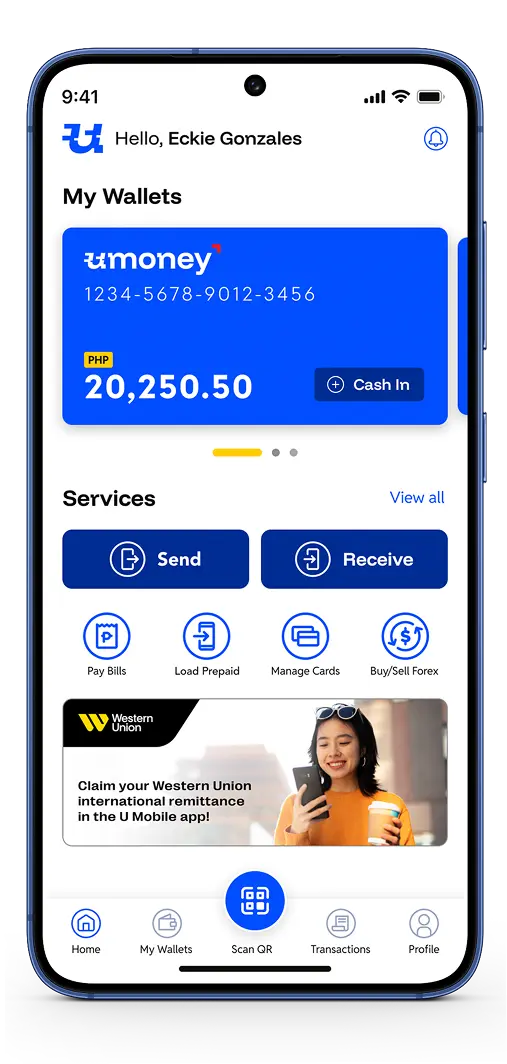
Mas pinadali pa ang money transfers gamit ang U Money App.
Send and receive money anytime, anywhere using your U Money e-wallet!


Note: To send or receive money using the U Money App, you must first create an account using the app.
Note: To send or receive money using the U Money App, you must first create an account using the app.
From the main dashboard,
select "Send", then "Send Domestic."
Choose "U Cash Padala" under Remittance Partners. (You can also choose a bank or e-wallet to send direct to account in this step.)
Enter your receiver details:
Confirm your transaction.
Take note of the U Cash Padala Control Number (UPCN). Your receiver will need this number to claim your money transfer, together with the exact amount sent.
From the main dashboard, select "Receive."
Under Domestic Remittance, select "U Cash Padala."
Enter the U Cash Padala Control Number (UPCN) or Transaction Reference Number (you get this number from the sender).
An OTP (One-Time Password) will be sent to your mobile number to confirm that it’s you.
Enter the following details:
Confirm your transaction.
Send Amount (PHP) sSend Amount (PHP) | Send Fees (PHP) Send Fees (PHP) |
|---|---|
| 1 - 100 | 1 |
| 101 - 300 | 3 |
| 301 - 500 | 5 |
| 501 - 700 | 10 |
| 701 - 900 | 12 |
| 901 - 1000 | 15 |
| 1,001 - 1,500 | 20 |
| 1,501 - 2,000 | 25 |
| 2,001 - 2,500 | 40 |
| 2,501 - 3,000 | 45 |
| 3,001 - 3,500 | 60 |
| 3,501 - 4,000 | 70 |
| 4,001 - 5,000 | 85 |
| 5,001 - 7,000 | 115 |
| 7,001 - 10,000 | 125 |
| 10,001 - 15,000 | 235 |
| 15,001 - 20,000 | 320 |
| 20,001-30,000 | 380 |
| 30,001 - 40,000 | 440 |
| 40,001-50,000 | 500 |
| Over 50,000 | 2% of Send Amount |
Send Amount (PHP) | Send Fees (PHP) |
|---|---|
| 1 - 100 | 1 |
| 101 - 300 | 3 |
| 301 - 500 | 5 |
| 501 - 700 | 10 |
| 701 - 900 | 12 |
| 901 - 1000 | 15 |
| 1,001 - 1,500 | 20 |
| 1,501 - 2,000 | 25 |
| 2,001 - 2,500 | 40 |
| 2,501 - 3,000 | 45 |
| 3,001 - 3,500 | 60 |
| Send Amount (PHP) | Send Fees (PHP) |
|---|---|
| 3,501 - 4,000 | 70 |
| 4,001 - 5,000 | 85 |
| 5,001 - 7,000 | 115 |
| 7,001 - 10,000 | 125 |
| 10,001 - 15,000 | 235 |
| 15,001 - 20,000 | 320 |
| 20,001-30,000 | 380 |
| 30,001 - 40,000 | 440 |
| 40,001-50,000 | 500 |
| Over 50,000 | 2% of Send Amount |