24/7 Customer Service:

Phone Icon

(63) 917 180-USSC (8772)

U Money logo
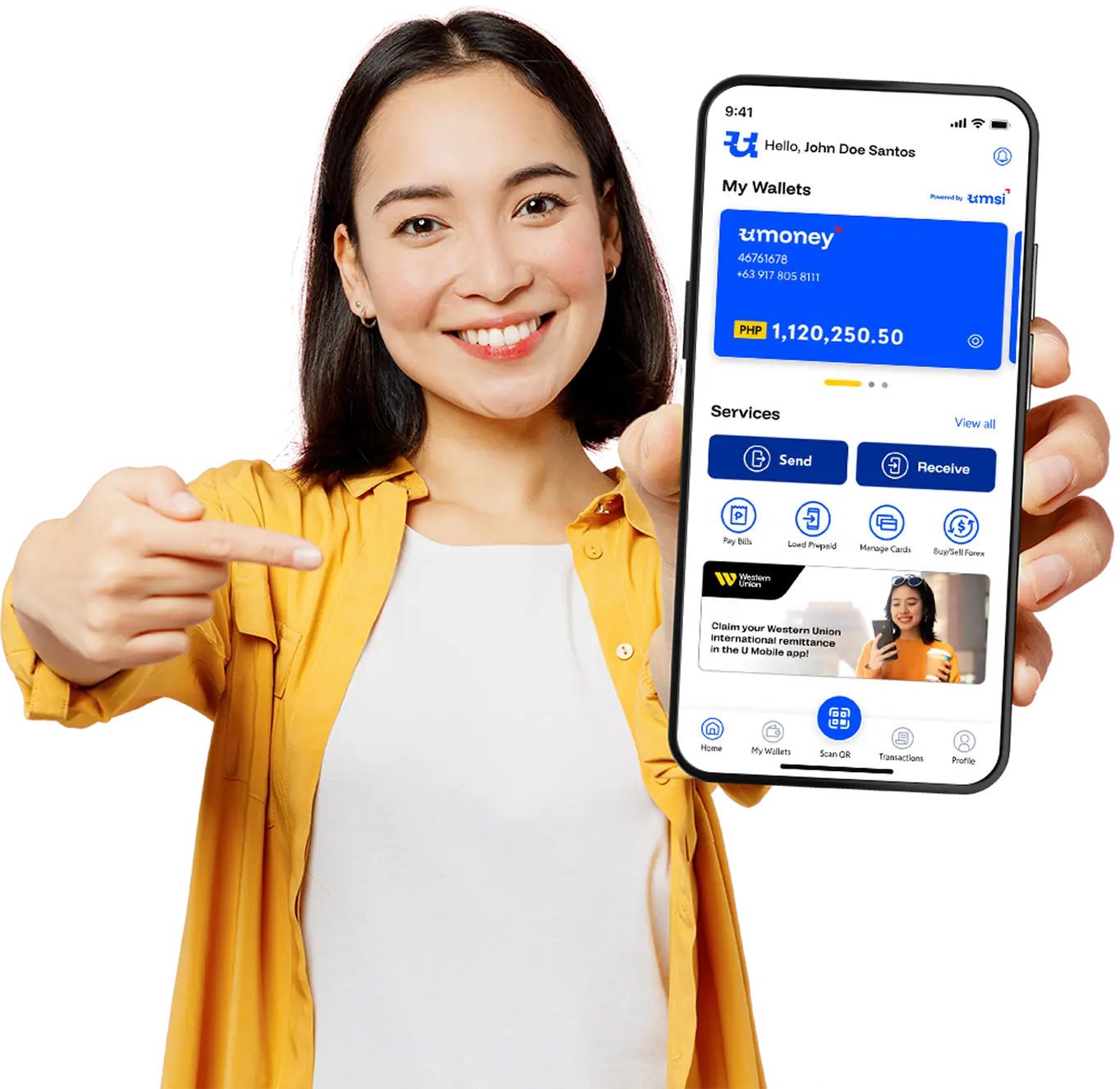
Woman holding smartphone showing money transfer app
INTERNATIONAL MONEY TRANSFERS FROM THE PHILIPPINES

Sending money abroad?We got U!

Sending money abroad from the Philippines is now easier than ever. Nasaan ka man sa Pinas, mas pinadali na ang overseas money transfers to the U.S., Canada, Australia, and to over 200 countries through Western Union.

  • Competitive FX rates and send fees

  • Send directly to bank accounts or e-wallets*

  • Send money anytime, anywhere with the U Money App

  • Cash pick-up available in minutes at 500,000+ locations around the world

*Only available when sending money abroad in U Money branches.

PHP flag
USD flag

Send fee: PHP 50.00

Today's exchange rate: USD 1.00 = PHP 58.63

USSC LogoUSSC Logo

Your money is always in good hands.

U Money (USSC) and Western Union remain committed to providing Filipinos with fast, secure, and convenient remittance services. With U Money’s innovative solutions and Western Union’s trusted global network, you can be confident that your money is always secure and easily accessible.

Choose what works best for you and your receiver abroad.

Ways to send money abroad

Senders have 2 options for sending money through U Money:

BEST FOR SIMPLICITY

Send money abroad at U Money stores nationwide

  • Direct to bank or e-wallet money transfer option available only at U Money stores
  • Available at all 700+ U Money branches across the Philippines
  • Longer operational hours than banks
  • QRPh transfers available - no need to bring large amounts of cash

BEST FOR CONVENIENCE

Send money abroad anytime, anywhere through the U Money App

  • Cash pick-up available in minutes at any Western Union agent in 200+ countries
  • 24/7 availability 
  • Easy cash-in to your U wallet via Instapay

Ways to claim or receive money abroad

Senders can choose one of 2 ways for their money transfer to be received:

BEST FOR SPEED

Cash pick-up (money in minutes)

  • Real-time transfers
  • Simple process with minimal requirements
  • Cash pick-up at 500,000+ Western Union agents worldwide

BEST FOR CONVENIENCE

Direct to bank accounts and e-wallets

  • Transfer speed from real-time to 2 days (depends on receiving bank and country regulations)
  • No requirements needed from receiver

How it works

Man using smartphone
Step 1

Go to a U Money branch or download the U Money App

You will need a U Money account to send money abroad.
New customers can create an account with just one (1) valid ID.

Step 2

Choose Western Union to send your
international remittance.

Send your remittance in PHP via
Western Union to over 200+ countries
around the world.

Step 3

Money received in minutes!• Cash pick-up in any of the 500,000+
Western Union partner locations
around the world
• Send directly to bank accounts and
e-wallets
when you send money abroad
in any U Money branch in the Philippines
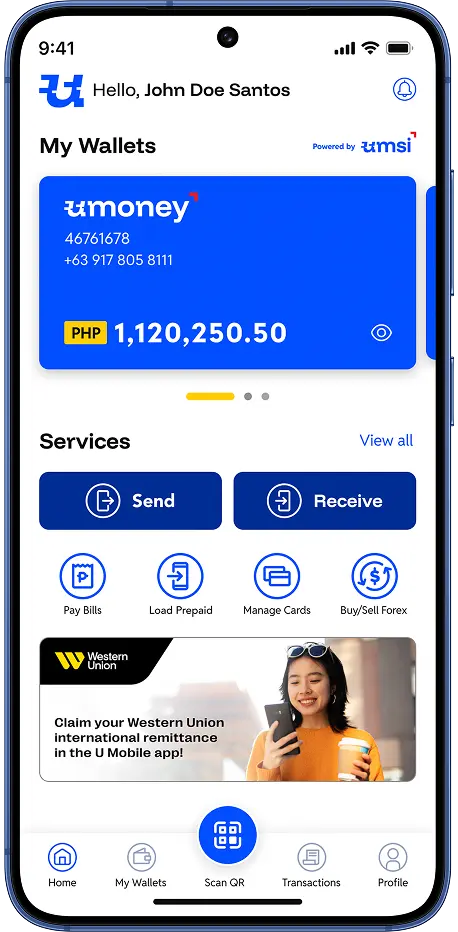
Mobile App Preview

How to send money abroad
using the U Money App

How to send money abroad using the U Money App

1 .
Download the U Money app and login or create your account.
For new customers: Provide your personal information and one (1) valid ID to create your U account.
2 .
Load/cash-in to your U Money e-wallet via Instapay or at any U Money branch.*
3 .
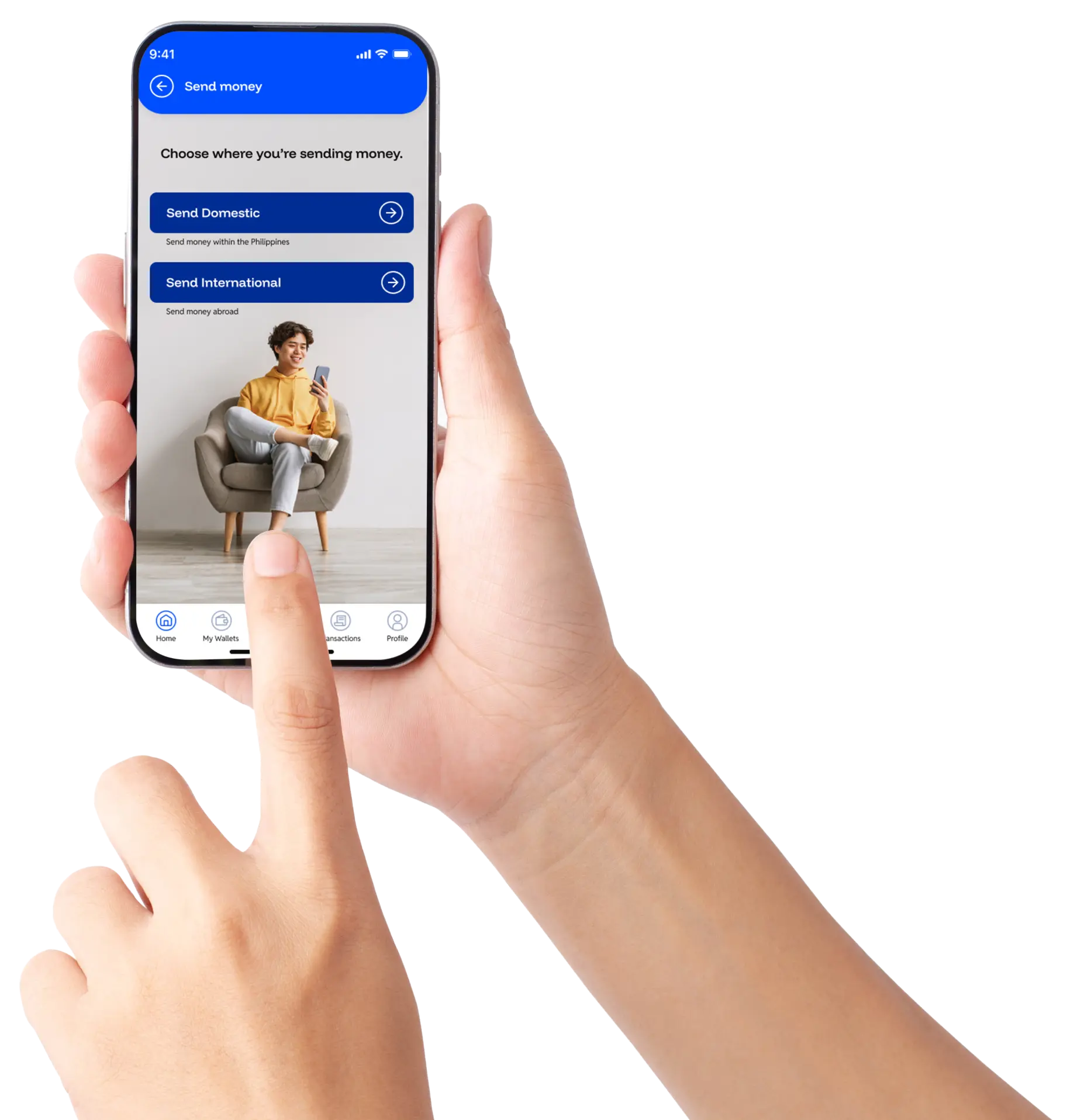
From the main dashboard, select "Send," then choose "Send money abroad."
4 .
Enter the following:
  1. Receiver's account details
  2. Amount to send
5 .
Confirm your transaction.
6 .
Take note of the Money Transfer Control Number (MTCN). Your receiver will need this to claim your remittance.
* To fund your transfer, you can cash-in your U Money Wallet through the following:
  • Using your bank or e-wallet app via Instapay (BDO, BPI, GCash, etc)
  • Cash-in (using cash) at any U Store branch

You can find detailed instructions in the U Money app by clicking "Cash-in" from the main dashboard.

How to send moneyabroad in U Money Stores

1 .
Go to any U Money Store branch.
2 .
For first time U customers: You will need to provide your information and valid ID to create an account before making any transactions.
For existing U customers: Provide your U Money account details and proceed to your send transaction. See list of accepted IDs.
3 .
Provide your receiver details:
  • Receiver's name
  • Receiver's address
  • Source of funds
  • Purpose of transaction
4 .
Provide your send amount in PHP or USD.
5 .
Get your Money Transfer Control Number (MTCN) and your transaction receipt.

When sending money, always take note of the Money Transfer Control Number (MTCN). Your receiver will need this number to claim your money transfer at any Western Union partner location, together with the exact amount sent.


U Store Branch

International Outbound Money Transfer Rates

Send Amount (PHP)
0.01 - 10,000
Send Fee (PHP)
Cash Pick-up
500
Direct to Bank*
500
Send Amount (PHP)
10,001 - 25,000
Send Fee (PHP)
Cash Pick-up
700
Direct to Bank*
500
Send Amount (PHP)
25,001 - 50,000
Send Fee (PHP)
Cash Pick-up
1,000
Direct to Bank*
500
Send Amount (PHP)
50,001- 100,000
Send Fee (PHP)
Cash Pick-up
1,250
Direct to Bank*
500
Send Amount (PHP)
100,001 - 150,000
Send Fee (PHP)
Cash Pick-up
1,500
Direct to Bank*
500
Send Amount (PHP)
More than 150,000
Send Fee (PHP)
Cash Pick-up
2,000
Direct to Bank*
500
Find a U Money Store